 MNKI
MNKI
AI Architectural Rendering Studio — Photorealistic & Fast
Last updated: October 7, 2026
The next generation of architectural visualization
Traditional architectural rendering workflows depend on high-end desktop hardware and long rendering queues. MNKI shifts the visualization process to the cloud, allowing design teams to explore dozens of stylistic variations during live client meetings.
Sketch-to-Render AI
Convert hand drawings or CAD line elevations into realistic exterior and interior imagery across 30+ curated architectural styles.
Floor Plan Visualization
Transform 2D layout drawings into fully furnished, lit 3D floor plan visualisations and isometric perspectives.
Targeted Inpainting
Regenerate specific objects, wall finishes, or materials within a render without disturbing the overall composition or perspective.
Mood Boards & Palettes
Generate cohesive material swatches, color palettes, and client mood boards directly alongside your AI renders.
Real examples from MNKI
Every image below was made with MNKI. Where there is a pair, the left image is what was uploaded (or the render before an edit) and the right image is what MNKI returned.
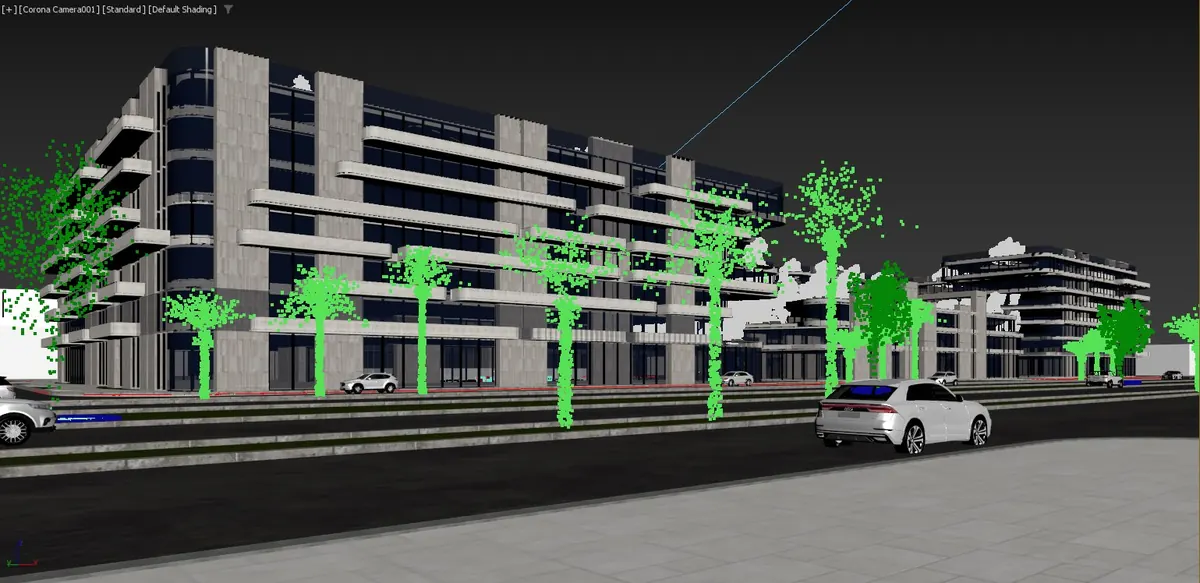
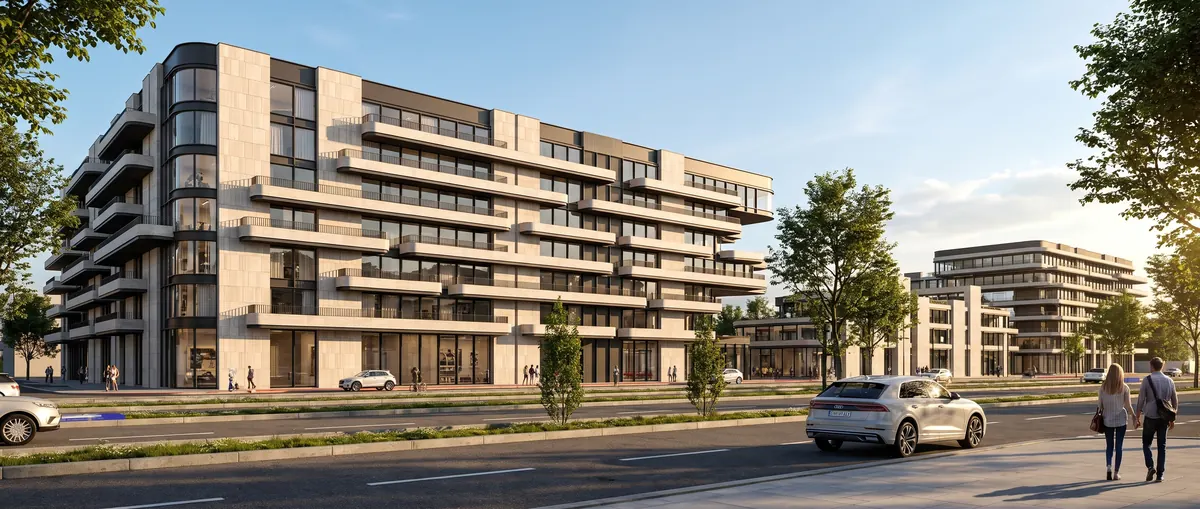
3D viewport capture to finished render
A screenshot straight from a 3D modelling viewport, with proxy trees and default shading. MNKI kept the building, the camera angle and the road, and produced a daylight render with real trees and people.
Render to architecture study sheet
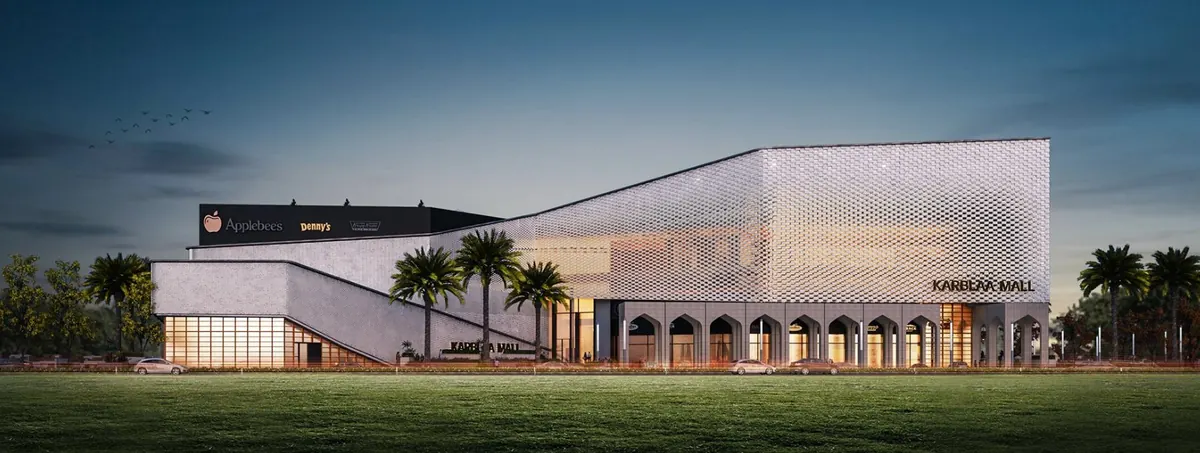
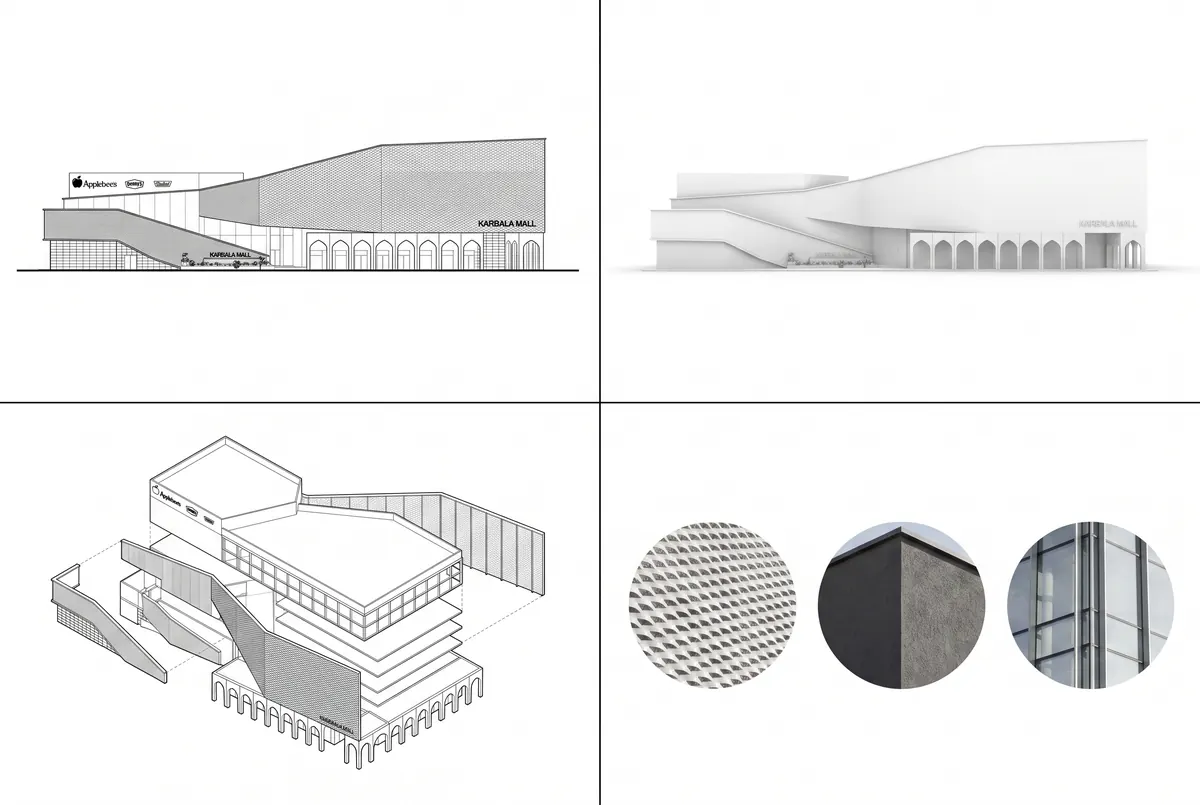
MNKI's Architecture Study module focuses on design intent (proportions, massing clarity and material reading) rather than a photorealistic finish. From a render of a shopping mall it produced a study sheet with elevations, an axonometric and material swatches.
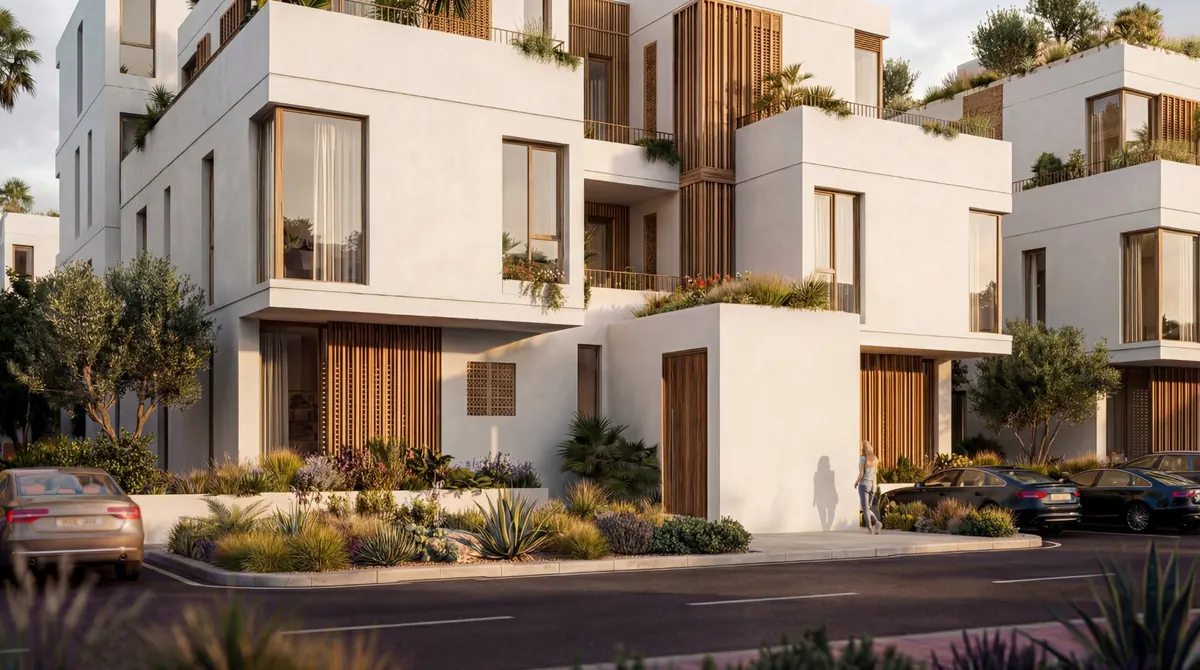
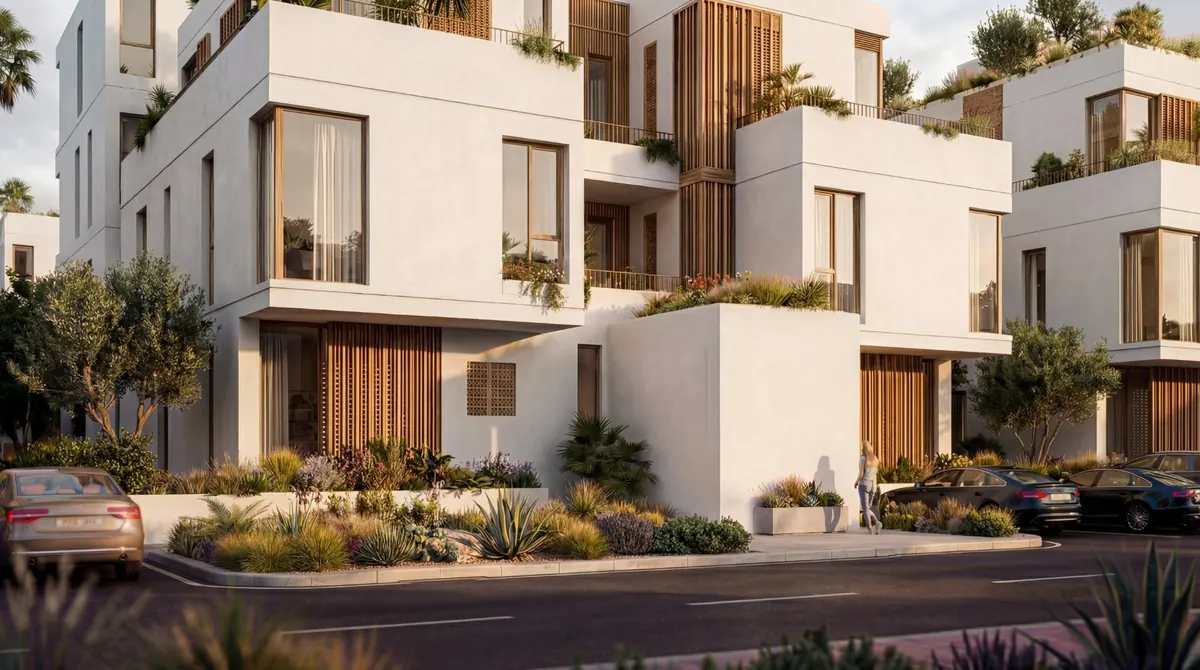
Inpainting: remove an element
Inpaint Remove takes out a masked element and fills the area to match the surrounding materials and light. Here a timber door was removed from a façade; only the masked area changed.
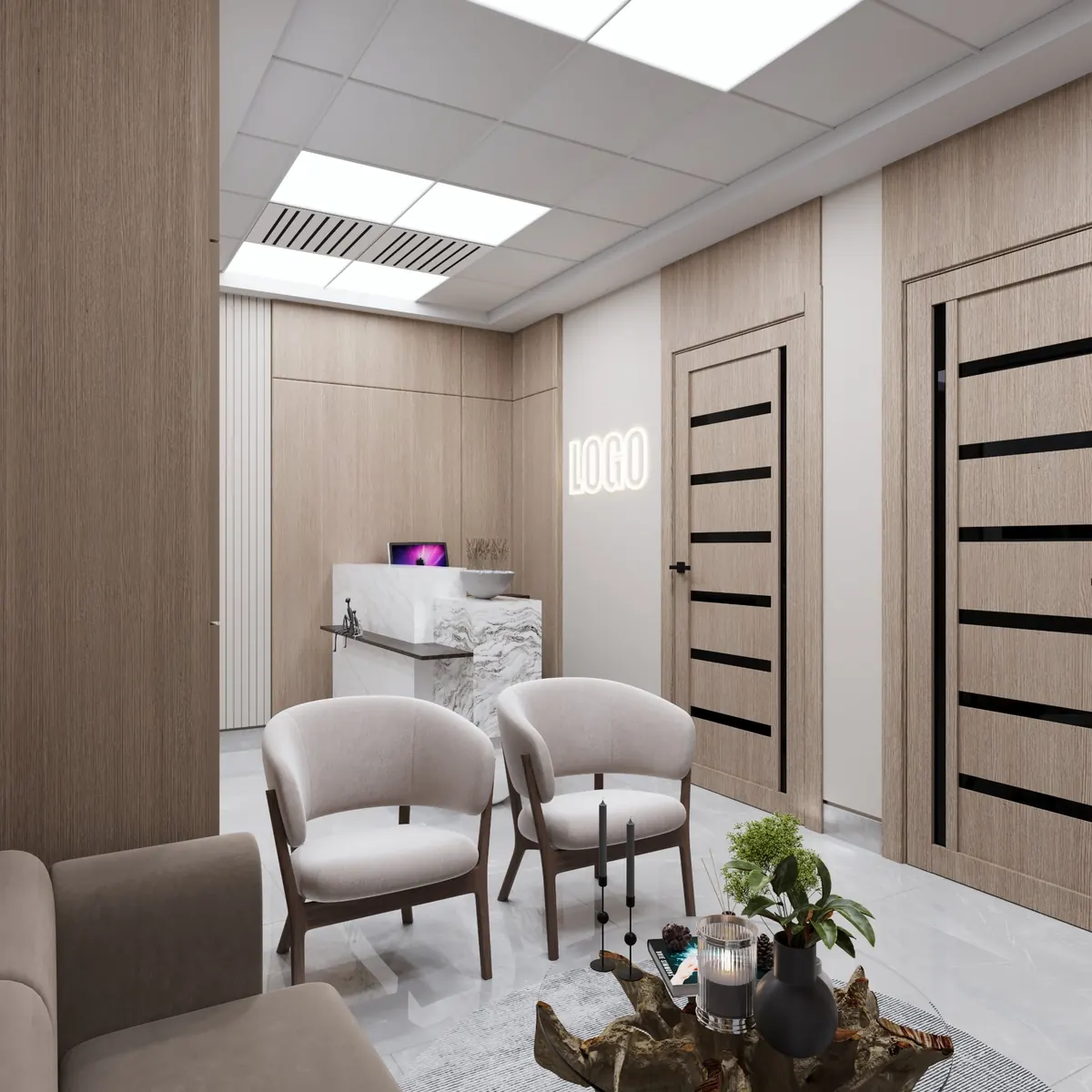
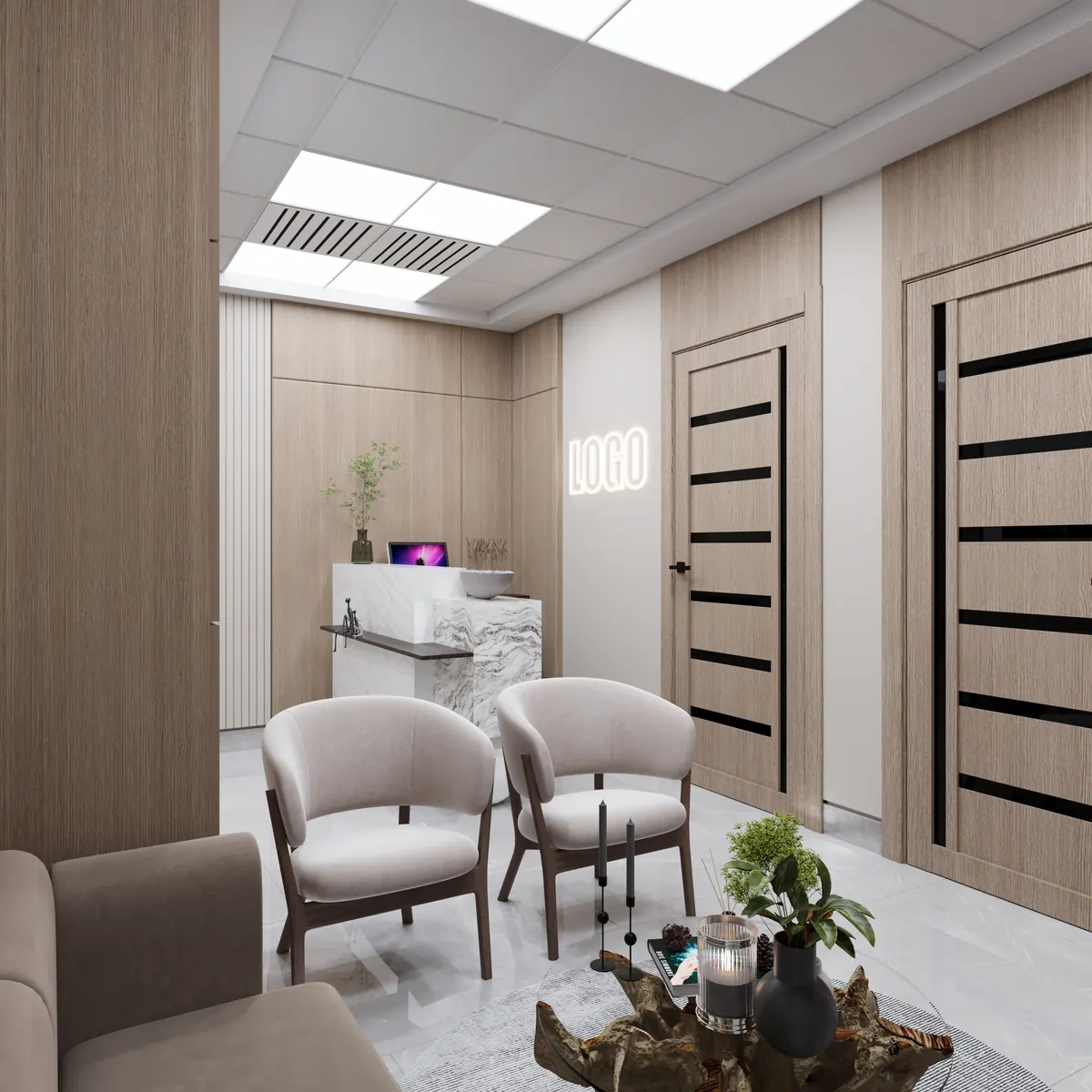
Inpainting: add an element
Inpaint Add generates a new object in a masked area, matching perspective, lighting and scale. Here a potted plant was added to a reception counter; the rest of the image is unchanged.
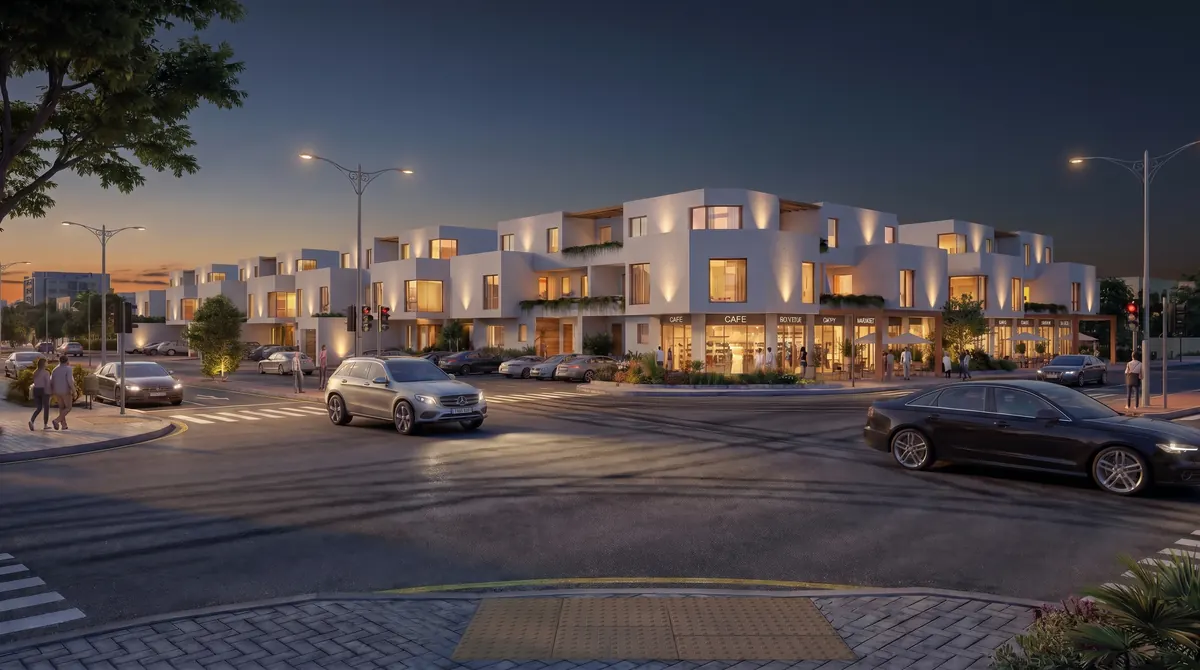
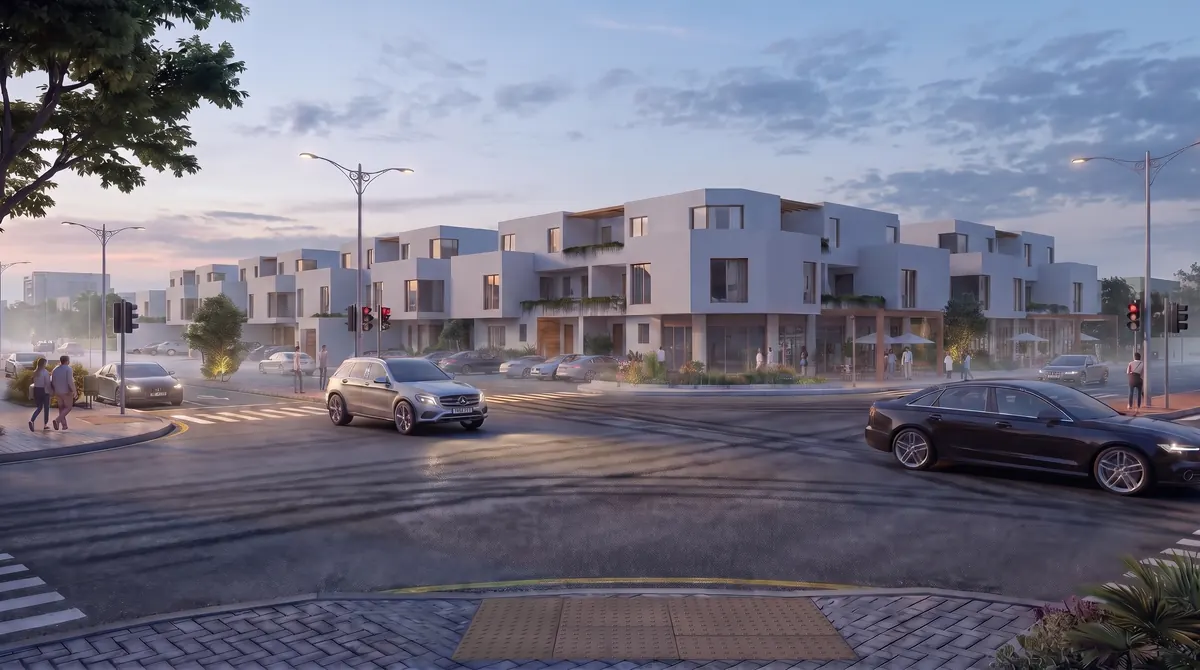
One scene, two lighting conditions
The same street corner rendered in evening light and in morning light, with the buildings, cars and camera unchanged.
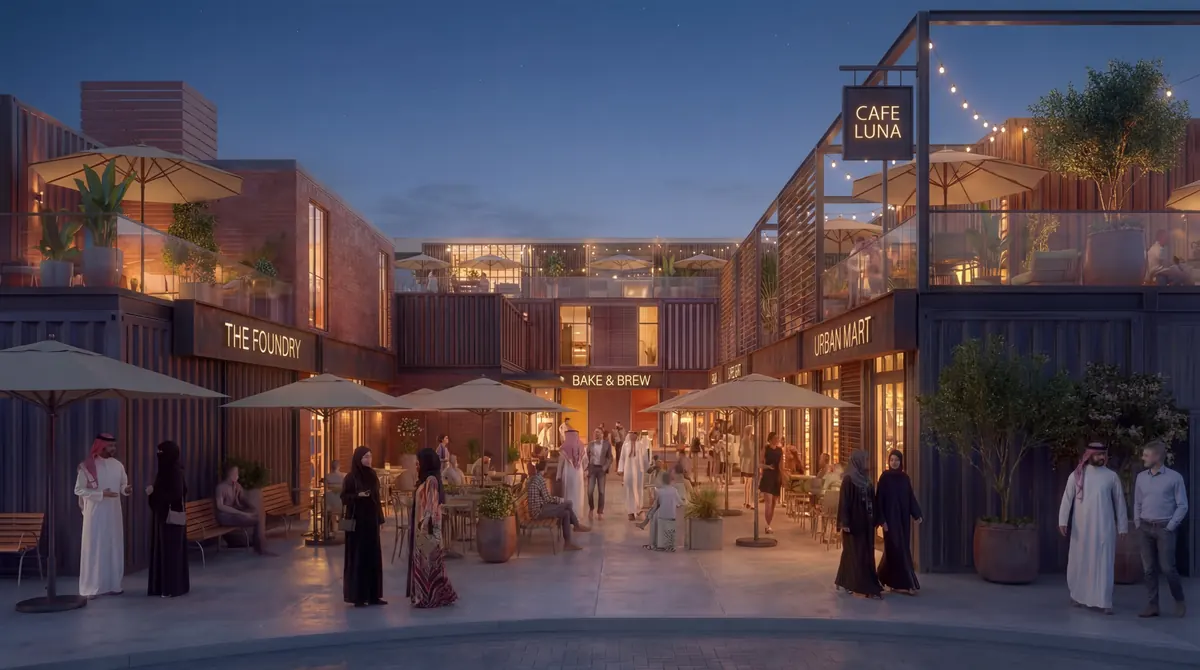
One courtyard, two design styles
The same courtyard and camera restyled: whitewashed arches and terracotta on the left, dark metal and exposed brick on the right.

MNKI's nine modules
| Module | What it does |
|---|---|
| General Render | The all-purpose module: applies your chosen style, lighting and materials to any input type. |
| Architecture Study | Communicates design intent (proportions, massing, material reading) rather than a photorealistic finish. |
| Mood Board | A collage-style concept board of materials, textures and references. |
| Material Palette | A structured study of material samples, finishes and colour relationships. |
| Space Planning | A furnished, labelled space plan from a plan or layout, with the programme in your prompt. |
| 3D Plan | A furnished axonometric or isometric 3D view from a 2D floor plan. |
| Inpaint Remove, Add and Replace | Targeted edits to a masked area of an existing image, without a full re-render. Replace can take a reference image for a material or object. |
Inputs can be hand sketches, 3D massing, wireframes, white models, raw photos, floor plans or site context images, uploaded as PNG, JPEG or WebP. Choose a generation strategy (Strict, Balanced or Creative) to control how closely the output follows your input, and one of 28 named styles, 8 presets and 6 lighting conditions. See sketch to render and floor plan rendering for workflows and tips.
What it costs
| Operation | Credits |
|---|---|
| Standard render (MNF engine) | 4 |
| Pro render at 2K (MNG engine) | 6 |
| Pro render at 4K (MNG engine) | 8 |
| Inpaint edit (Remove, Add or Replace) | 8 |
The Free plan starts with 40 trial credits and no watermark. Basic is 28.99 USD a month for 500 credits and Pro is 148.99 USD a month for 3,000 credits; see pricing for the current table.
Designed for professional workflows
- Rapid Concepting: Test 10+ design directions in the first client meeting rather than waiting days for preliminary renders.
- Client Presentation Ready: Export high-resolution renders formatted for pitch decks, proposals, and design reviews.
- Zero Installation: Runs entirely in modern web browsers with cross-platform project synchronization.
Frequently asked questions
What is AI architectural rendering?
AI architectural rendering uses artificial intelligence algorithms to generate photorealistic architectural imagery from 2D input drawings or text prompts in seconds, bypassing manual 3D modeling and texturing.
How is MNKI different from general-purpose AI image generators?
General-purpose image generators are built for any subject. MNKI is built around architectural workflows: it accepts sketches, floor plans, massing and white-model views, offers inpainting modules for editing part of a render, and has generation strategies (Strict, Balanced and Creative) that control how closely the output follows your input.
Can I edit part of a render without regenerating the whole image?
Yes. MNKI's Inpaint Remove, Add and Replace modules edit only a masked area of an existing render or uploaded photo, matching the surrounding perspective, lighting and materials. Each inpaint edit costs 8 credits.
Is MNKI free to use?
MNKI offers a free plan with 40 trial credits on signup and no watermark. Paid plans start at 28.99 USD a month (Basic, 500 credits); Pro is 148.99 USD a month for 3,000 credits.