 MNKI
MNKI
Sketch to Render with AI — Photorealistic in Seconds
Last updated: October 7, 2026
How MNKI turns a sketch into a render
Architectural visualisations traditionally take hours of modeling and rendering in 3D software. MNKI streamlines the concept phase into a simple 3-step AI workflow:
1. Upload Sketch
Drop in your hand drawing, digital line sketch, or CAD line export. Choose the Strict strategy for the closest adherence to your lines, and always compare the result with your drawing.
2. Select Style & Prompt
Choose from 28 named styles and 8 presets (30+ style options), such as Brutalist, Japandi, Scandinavian or Modern, or enter a custom material prompt.
3. Generate & Inpaint
Receive high-resolution renders in seconds. Use MNKI's inpainting tool to restyle specific materials, lighting, or furniture without re-rendering.
Real examples: from early-stage input to MNKI render
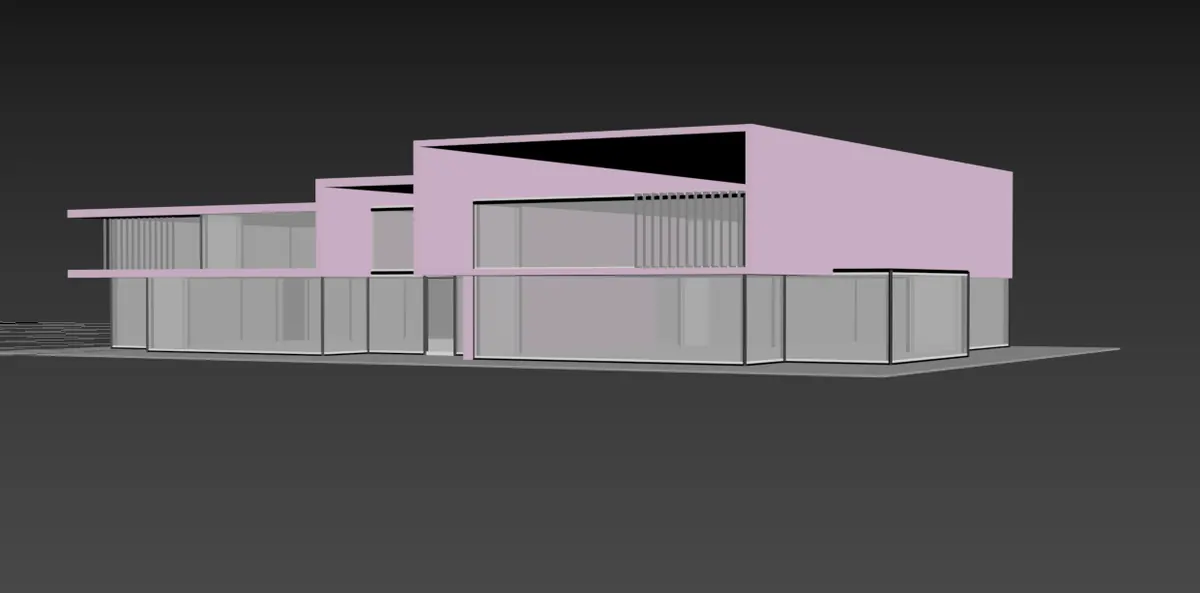
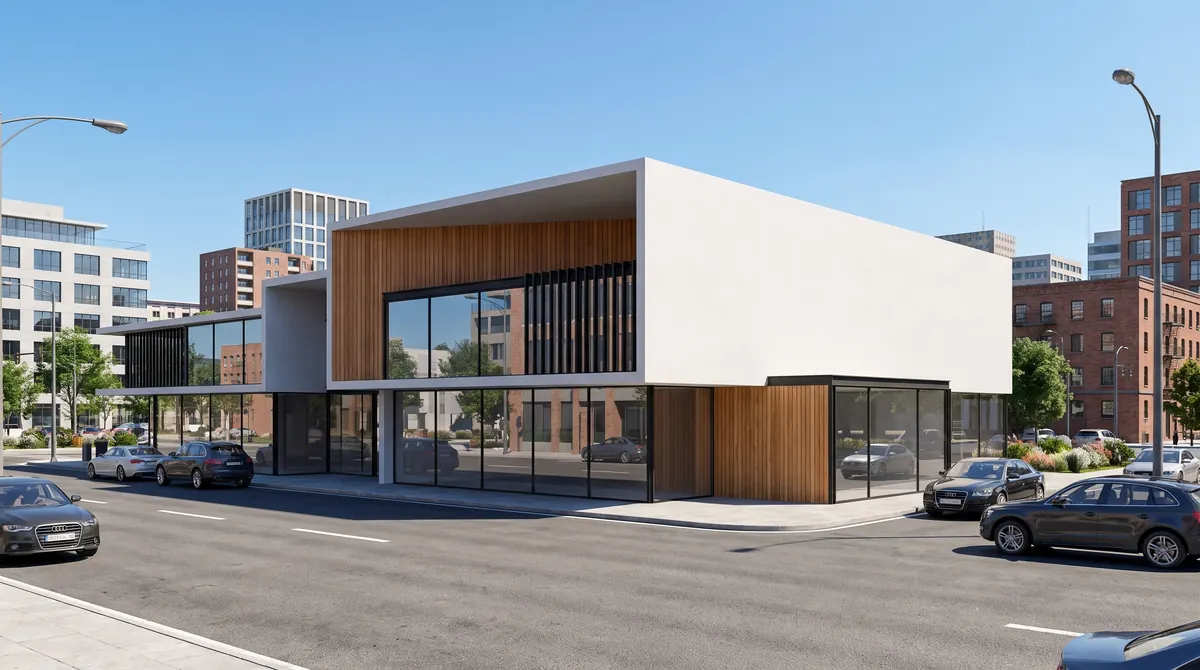
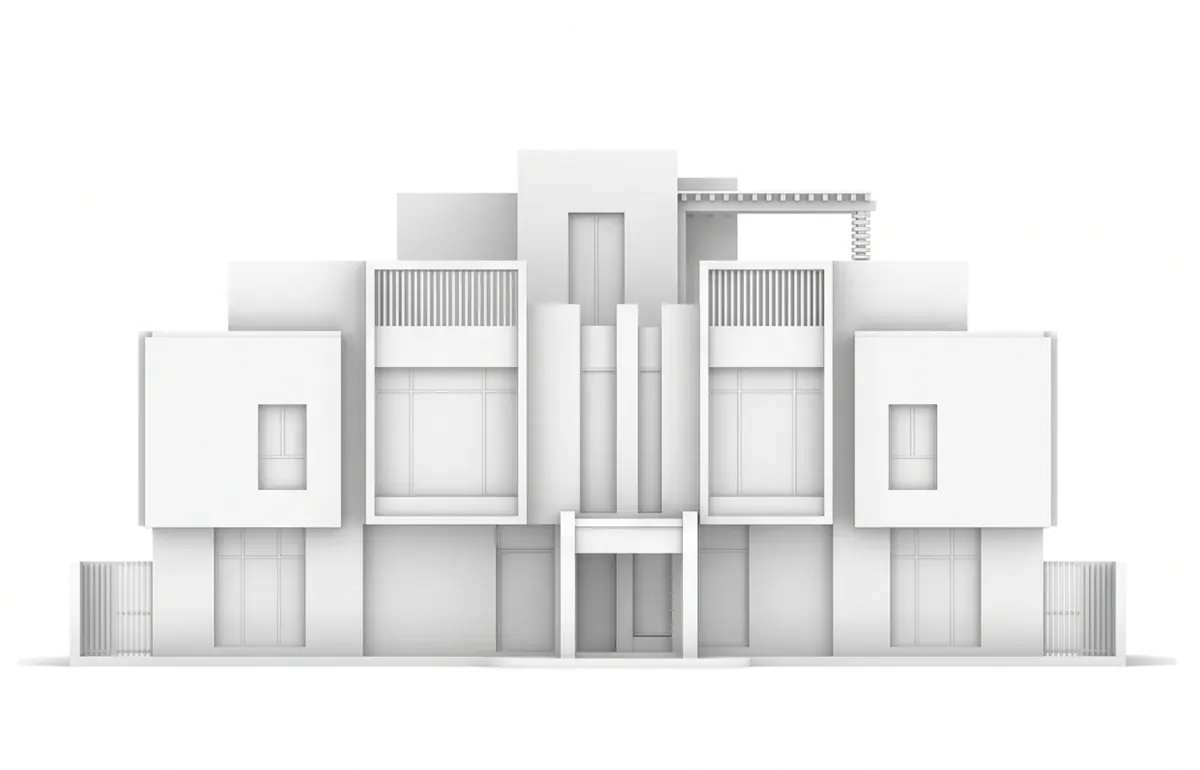
Sketches, white models and massing models are all early-stage inputs MNKI accepts. Both pairs below were made with MNKI: on the left is the image that was uploaded, on the right is what MNKI returned.
3D massing model to exterior render
A rough massing model exported from 3D software, with flat colours and no materials. MNKI's tutorial describes massing input as geometry it applies full materiality, context and lighting on top of; here it added a timber-and-render façade, glazing and a street scene.
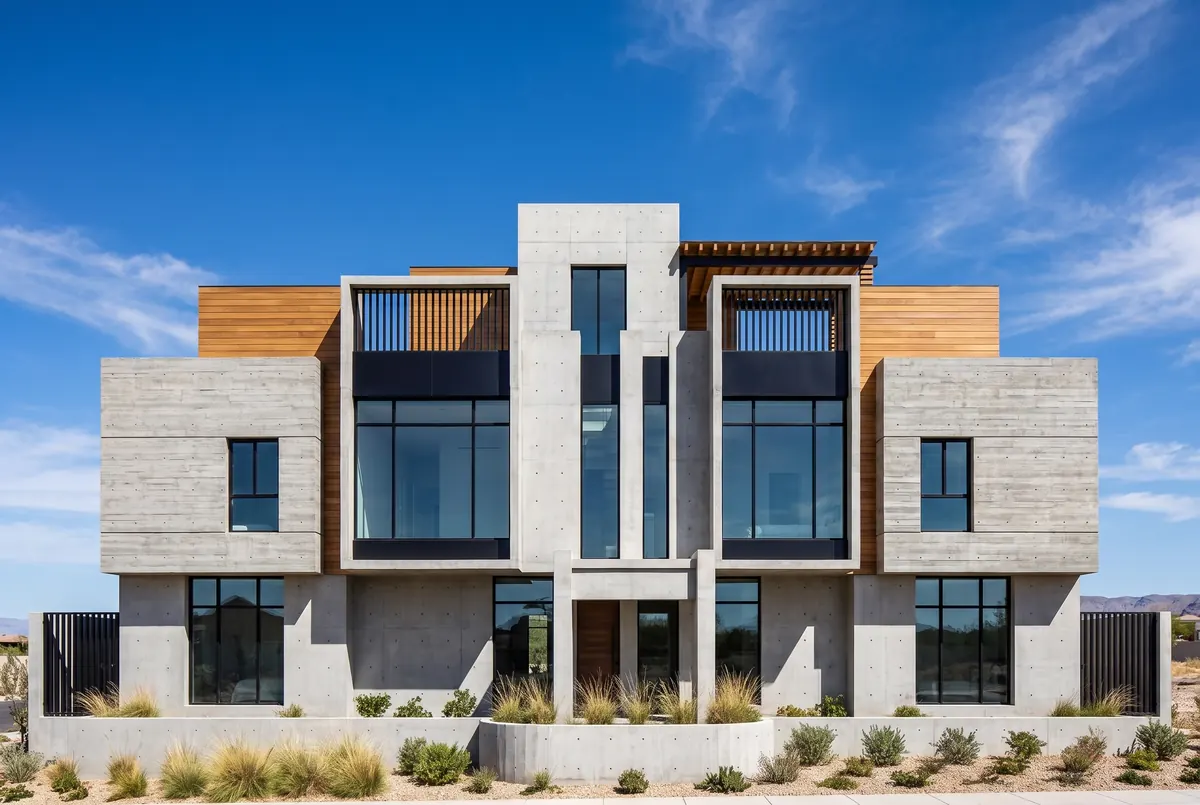
A white model to a photorealistic render
An untextured white model of a villa. MNKI's tutorial describes white models as giving it the most freedom to apply a material palette; here it returned concrete-look cladding, timber and full-height glazing in a desert-garden setting.
Want to see more input types? The AI architectural rendering page shows a 3D viewport capture, an architecture study, inpainting edits and lighting and style variations, and floor plan rendering shows plans turned into 3D views.
What you can upload
Sketches are one of several input types MNKI lists. You can upload:
- Hand sketches — freehand pencil, marker or digital drawings. MNKI interprets loose geometry and approximate proportions.
- White models and 3D massing — untextured exports from SketchUp, Rhino or Revit.
- 3D wireframes, raw photos, floor plans and site context images.
Uploads can be PNG, JPEG or WebP. No sketch to hand? Draw one in MNKICanvas (Beta), MNKI's built-in drawing tool, and send it straight to the Studio.
Choosing a generation strategy
The strategy is the setting that decides how closely MNKI follows your sketch versus adding its own interpretation.
| Strategy | What it does | Use it for |
|---|---|---|
| Strict | Closely follows your input geometry, module settings and prompt with minimal interpretation, for consistent, reproducible results. | Technical documentation, permit renders, client-approved specifications, consistent series of views. |
| Balanced | MNKI's recommended default for most projects. | Everyday concept renders. |
| Creative | Experimental, artistic variations. | Early concept exploration, when you want options rather than fidelity. |
MNKI's tutorial suggests starting with Balanced and the Interior or Exterior preset, which it says covers most everyday use cases.
Architectural styles, presets and lighting
MNKI has 28 named styles: Modern, Scandinavian, Industrial, Mid-Century Modern, Brutalist, Biophilic, Mediterranean, Art Deco, Minimalist, Futuristic, Japandi, Bauhaus, Victorian, Contemporary, Bohemian, Rustic, Hollywood Regency, Transitional, Coastal, Shabby Chic, Maximalist, Zen, Organic Modern, French Country, Desert Modern, Gothic Revival, Parametric and Cyberpunk.
Eight presets — Interior, Exterior, Technical, Organic, Sketch, Landscape, MasterPlan and Render ID — set style, lighting and material detail in one click. Lighting can be Golden Hour, Direct Sunlight, Overcast/Diffuse, Night, Moody/Cinematic or Morning Mist.
To match a look you already have, upload a style reference image: MNKI matches its atmosphere, palette and lighting. While a reference is active, the manual style and lighting controls are switched off so the two don't conflict.
Tips for better renders from a sketch
- Draw bold, closed outlines. MNKI's tutorial notes that bolder lines with clear outlines are read more accurately than light pencil work.
- Change one setting per refine pass. Click any render in History to reload its exact settings (style, lighting, module, camera, strategy), adjust one thing and generate again.
- Compare side by side. Open two renders with a draggable divider to compare materials, lighting or strategies on the same sketch.
- Fix details instead of re-rendering. Inpaint Remove, Add and Replace edit a masked area of an existing render.
What a sketch render costs
| Render | Credits |
|---|---|
| Standard render (MNF engine) | 4 |
| Pro render at 2K (MNG engine) | 6 |
| Pro render at 4K (MNG engine) | 8 |
| Inpaint edit (Remove, Add or Replace) | 8 |
The Free plan starts with 40 trial credits and no watermark; top-ups are 150 credits for 10.00 USD. Basic is 28.99 USD a month for 500 credits and Pro is 148.99 USD a month for 3,000 credits. See pricing for the current table.
Why architects choose MNKI
| Feature | Traditional 3D Rendering | MNKI AI Sketch-to-Render |
|---|---|---|
| Turnaround Time | Hours to days per view | Under 60 seconds |
| Input Needed | Full 3D digital model (Revit/Rhino) | Any 2D sketch, line drawing, or napkin draft |
| Refinements | Manual re-modeling & re-rendering | Inpainting & region restyling with AI |
| Hardware | High-end GPU workstation | 100% browser-based (any device) |
Frequently asked questions
How does MNKI turn a sketch into a photorealistic render?
MNKI uses two image engines: MNG, powered by Google Gemini, and MNF, powered by Black Forest Labs' Flux. You upload a hand-drawn sketch or 2D CAD outline, select a design style (such as Modern, Scandinavian or Japandi) and a generation strategy, and MNKI generates a photorealistic render. Compare the result with your sketch: MNKI's Strict strategy closely follows your input geometry, and AI results can vary.
What type of sketches work best with MNKI?
MNKI lists hand sketches (freehand pencil, marker or digital) among its input types, alongside 3D massing, wireframes, white models, photos and floor plans. Its tutorial notes that bolder lines with clear outlines are read more accurately than light pencil work.
Will MNKI keep my sketch's proportions?
Choose the Strict strategy: MNKI's tutorial describes it as closely following your input geometry, module settings and prompt with minimal interpretation. AI results can still vary, so compare the render with your drawing before using it for anything technical.
Can I match the style of a reference image?
Yes. Upload a style reference image and MNKI matches its atmosphere, colour palette and lighting. While a reference is active, the manual style and lighting controls are switched off so the two don't conflict.
How many credits does a sketch render cost?
A standard render on the MNF engine costs 4 credits, a 2K render on the MNG engine costs 6 and a 4K render costs 8. Inpaint edits cost 8 credits each.
Is MNKI free to try for sketch-to-render?
Yes, MNKI is free to start. The free plan provides 40 credits with no watermark and no credit card required. You can render your first sketch instantly in the browser.